Fixed Buff icon order: songs/dances always shown after other buffs, not in cast order

licol2

Vagabond
Customer
Hello,

We run an Classic Interlude server.

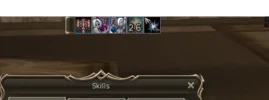
In the character's own buff bar, songs and dances always come after all the other buffs. Where they appear doesn't depend on when they were cast. For example:

  1. Cast a normal buff (e.g. Might)
  2. Cast a dance (e.g. Dance of Warrior)
  3. Cast another normal buff (e.g. Shield)
Expected order: Might → Dance of Warrior → ShieldActual order: Might → Shield → Dance of Warrior

It's the same with self-cast buffs, buffs from other players and the NPC buffer.

What we have checked:

  • BuffSlotSeparate = False in altsettings.properties (all buffs in one group)
  • buff_interlude=true in the client's Interface.cfg. The client shows the icons in the order the server sends them, so the ordering seems to come from the server.
  • We found no option that controls this in altsettings.properties, server.properties or services.properties.
Questions:

  1. Is there a config option to send buff icons in cast order, with songs/dances mixed in with the other buffs, as on retail Interlude?
  2. If not, could this be added as an option? The order used for Cancel / buff steal (songs/dances removed first) can stay as it is. We only want to change how the icons are displayed.
  3. Is there a supported way to do this from an extension (*.ext.jar), for example a hook or listener for the abnormal status update packet?
 
Hello,

We run an Classic Interlude server.

In the character's own buff bar, songs and dances always come after all the other buffs. Where they appear doesn't depend on when they were cast. For example:

  1. Cast a normal buff (e.g. Might)
  2. Cast a dance (e.g. Dance of Warrior)
  3. Cast another normal buff (e.g. Shield)
Expected order: Might → Dance of Warrior → ShieldActual order: Might → Shield → Dance of Warrior

It's the same with self-cast buffs, buffs from other players and the NPC buffer.

What we have checked:

  • BuffSlotSeparate = False in altsettings.properties (all buffs in one group)
  • buff_interlude=true in the client's Interface.cfg. The client shows the icons in the order the server sends them, so the ordering seems to come from the server.
  • We found no option that controls this in altsettings.properties, server.properties or services.properties.
Questions:

  1. Is there a config option to send buff icons in cast order, with songs/dances mixed in with the other buffs, as on retail Interlude?
  2. If not, could this be added as an option? The order used for Cancel / buff steal (songs/dances removed first) can stay as it is. We only want to change how the icons are displayed.
  3. Is there a supported way to do this from an extension (*.ext.jar), for example a hook or listener for the abnormal status update packet?

change skillgrp_classic.dat

skill_begin skill_id=271 skill_level=1 skill_sublevel=0 icon_type=2 MagicType=0 operate_type=1 mp_consume=60 cast_range=-1 cast_style=1 hit_time=2.5 cool_time=0.0 reuse_delay=0.0 effect_point=0 is_magic=3 origin_skill=0 is_double=0 animation={[N]} skill_visual_effect=[271] icon=[icon.skill0271] icon_panel=[None] debuff=0 resist_cast=0 enchant_skill_level=0 enchant_icon=[None] hp_consume=0 rumble_self=8 rumble_target=10 skill_end
skill_begin skill_id=1068 skill_level=1 skill_sublevel=0 icon_type=2 MagicType=0 operate_type=1 mp_consume=10 cast_range=400 cast_style=1 hit_time=4.0 cool_time=0.0 reuse_delay=0.0 effect_point=0 is_magic=1 origin_skill=0 is_double=0 animation={[D]} skill_visual_effect=[1068] icon=[icon.skill1068] icon_panel=[None] debuff=0 resist_cast=0 enchant_skill_level=0 enchant_icon=[None] hp_consume=0 rumble_self=8 rumble_target=10 skill_end

is_magic

Make it the same as at Might
 
change skillgrp_classic.dat

skill_begin skill_id=271 skill_level=1 skill_sublevel=0 icon_type=2 MagicType=0 operate_type=1 mp_consume=60 cast_range=-1 cast_style=1 hit_time=2.5 cool_time=0.0 reuse_delay=0.0 effect_point=0 is_magic=3 origin_skill=0 is_double=0 animation={[N]} skill_visual_effect=[271] icon=[icon.skill0271] icon_panel=[None] debuff=0 resist_cast=0 enchant_skill_level=0 enchant_icon=[None] hp_consume=0 rumble_self=8 rumble_target=10 skill_end
skill_begin skill_id=1068 skill_level=1 skill_sublevel=0 icon_type=2 MagicType=0 operate_type=1 mp_consume=10 cast_range=400 cast_style=1 hit_time=4.0 cool_time=0.0 reuse_delay=0.0 effect_point=0 is_magic=1 origin_skill=0 is_double=0 animation={[D]} skill_visual_effect=[1068] icon=[icon.skill1068] icon_panel=[None] debuff=0 resist_cast=0 enchant_skill_level=0 enchant_icon=[None] hp_consume=0 rumble_self=8 rumble_target=10 skill_end

is_magic

Make it the same as at Might
thanks
 
Ты не торопись, ты сначала поменяй как тебе предложили и потом скинь скрин, где баффы начинают перемешиваться между собой
 
Ты не торопись, ты сначала поменяй как тебе предложили и потом скинь скрин, где баффы начинают перемешиваться между собой
он уже проверил....
 
Ты не торопись, ты сначала поменяй как тебе предложили и потом скинь скрин, где баффы начинают перемешиваться между собой
 
дай все id я тебе скину фрапс
Анатолий, я сейчас зашёл со своего же клиента на твой сервер, у тебя на твоём сервере работает! на моей локалке нет. Записать фрапс? Обнова вчерашняя
 
Анатолий, я сейчас зашёл со своего же клиента на твой сервер, у тебя на твоём сервере работает! на моей локалке нет. Записать фрапс?
видимо у тебя старая ревизия
 
я думал ногу себе отгрызу от безысходности
Бро! Вот тут нужно проставить False! BuffSlotSeparate = False < Вот тут
1. Выключить сервер
2. Обновить
3. Убедиться что в altsettings.properties стоит в конфиге BuffSlotSeparate = False

1790445609622.webp

Все работает корректно после того как я внес правки. Это прямо 100%
 
@Deazer да я же скинул скрин, что у меня всё заработало, спасибо что фиксанул) я просто вздохнул с облегчением можно сказать, как долго мне это голову ебало
 
@Deazer да я же скинул скрин, что у меня всё заработало, спасибо что фиксанул) я просто вздохнул с облегчением можно сказать, как долго мне это голову ебало
ааа тфу
 
Back
Top