

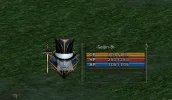
How can I use StatusCharacter_Mask to clip the CharacterViewport in the StatusWnd?
I’m working on a StatusWnd that displays a 3D character using CharacterViewportWindow.
The character is already rendering correctly inside the portrait, and the position and zoom are already adjusted. However, parts that I don’t want are still visible, mainly the shoulders and the sides of the body.
I have a texture called:
StatusCharacter_Mask.png
My goal is to use this mask to create a funnel-shaped crop, so that only the face, head, and neck are visible, while hiding the shoulders and the lower/side parts of the body.
My questions are:
- Does StatusCharacter_Mask work as a real mask for CharacterViewportWindow?
- Is this configured directly in Interface.xdat?
- Is there a specific node type or property used for clipping/masking?
- Should the mask be a child of the viewport, the container, or a separate texture placed above it?
- Is any .uc code required to apply the mask?
- Is there any example of a StatusWnd that uses this system with a 3D character?
Important: I do not want to simply place a texture on top to visually cover the shoulders. I want to know whether there is a real mask/clipping system where only the visible/white area of the mask reveals the 3D character.
If anyone has an example of the XDAT/XML structure or UC code using StatusCharacter_Mask, it would be very helpful.
I can also attach an image showing the exact crop shape I’m trying to achieve.